Why LinkedIn Bans Automation Tools (And the Setup That Doesn't Get Flagged)
In this article
Most accounts that get restricted were not unlucky. They were running a setup LinkedIn is specifically built to catch. Here's what trips the alarm and what doesn't.
Ask any founder who has run outreach for more than a few months and you will hear some version of the same story. Things were working, the connection requests were going out, replies were coming in, and then one morning the account was restricted. No warning that felt like a warning. Just a wall. The fear of that moment is real, and it is the single biggest reason people hesitate to automate at all.
Here is the thing worth understanding before you touch any tool. LinkedIn does not ban automation because it hates automation. It bans behavior that does not look human, sent from a setup it can fingerprint. Those are two separate problems, and most tools fail at both. Once you see what the platform is actually watching, the whole question of "is this safe" gets a lot clearer.
What LinkedIn is actually detecting
People assume there is a magic number of actions per day and that staying under it keeps you safe. The daily limit matters, but it is not the main event. LinkedIn's detection is built around patterns, and patterns are about how you behave, not just how much.
A few of the things it watches:
Rhythm. A human sends a few requests, gets distracted, replies to a message, looks at a profile, comes back later. Activity is uneven and spread across the day. A tool that fires forty requests in a tight, evenly spaced burst at 9:02 a.m. produces a rhythm no person has. The regularity is the tell.
Acceptance and reply quality. If you send a hundred requests and almost nobody accepts, or nobody ever replies, the platform reads that as someone blasting strangers. Low engagement is itself a signal of spam, regardless of volume. This is why relevance protects you. Targeted outreach that people actually accept looks healthy. Spray-and-pray looks like exactly what it is.
Repetition. The same message text sent over and over, the same link, the same structure, all of it is easy to match. Identical copy at scale is one of the clearest fingerprints of automation there is.
The technical fingerprint. This is the part most people never think about, and it is where Chrome extensions quietly sink accounts.
Why Chrome extension tools are structurally risky
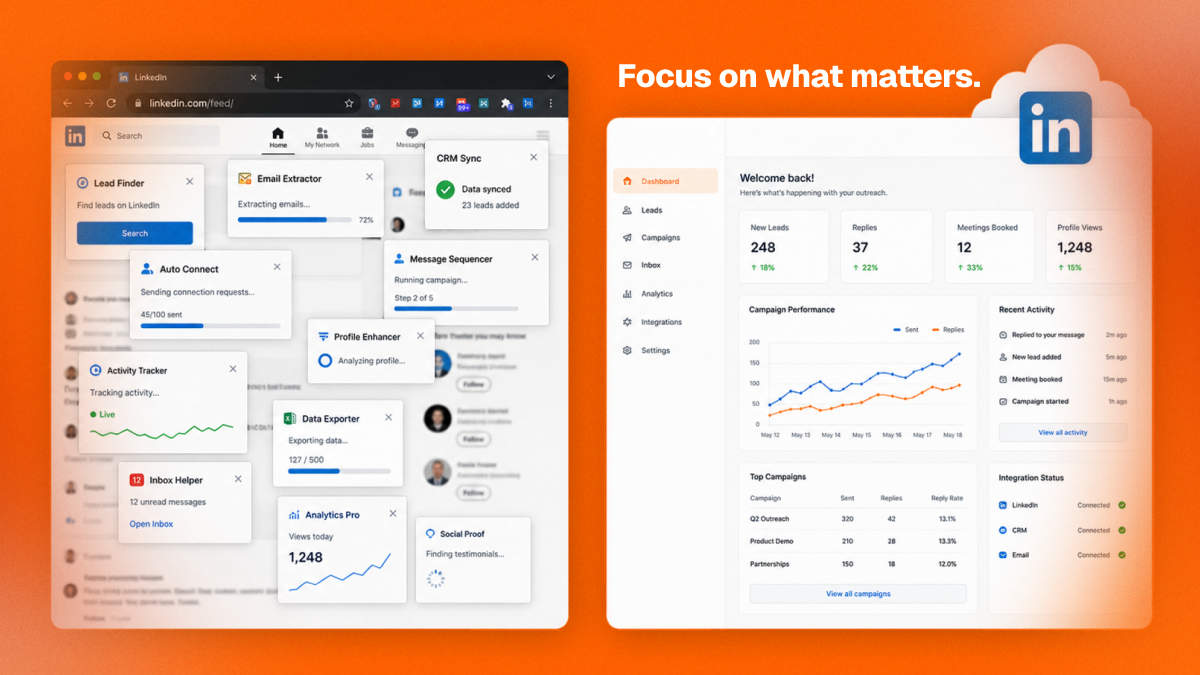
A Chrome extension automates LinkedIn by driving your actual browser. It reaches into the page you have open, clicks the real buttons, and acts inside your live, logged-in session. That sounds convenient, and it is exactly the problem.
When the automation runs inside your browser, every action comes from your real device, your real IP, and a page that has scripts injected into it. LinkedIn can see the modifications an extension makes to its interface. It can see that the "clicks" arrive with machine precision from a session that also happens to be doing a hundred other automated things. There is no separation between you and the tool. If the tool behaves in a way the platform dislikes, it is your account standing in the open, with no buffer at all.
There is a second issue. Extensions usually only work while your computer is on and Chrome is open, so people leave the machine running and the tool grinding away in long unbroken stretches. That produces the exact mechanical rhythm detection loves. And because the extension lives in the same browser you use for everything, a single misconfiguration or an aggressive default setting hits your primary account directly.
None of this means every extension gets every user banned tomorrow. It means the architecture stacks the odds against you. You are automating from the most exposed position possible, and you are trusting a third party's code running inside your own session to never overstep. That is a lot of trust to place in a default setting.
The volume myth
Founders often ask how many requests per day is safe, hoping for a number that makes the risk go away. A sensible ceiling helps, but treating volume as the whole answer misses the point. You can send a modest number of requests and still get flagged if the rhythm is robotic, the copy is identical, and the acceptance rate is in the basement. You can send a healthy amount and stay fine if the pacing looks human, the messages are relevant, and people are actually saying yes.
Volume is one input. Pattern is the system. Obsessing over the number while ignoring the rhythm and the relevance is like driving carefully at exactly the speed limit while weaving across three lanes. The number was never the thing keeping you safe.
What a safer setup actually looks like
If the risk comes from looking mechanical and from automating in an exposed position, then a safer setup does the opposite on both counts. This is the case for cloud-based architecture over a browser extension.
A cloud tool runs your outreach from dedicated, isolated infrastructure instead of your personal browser. Your account gets a stable, consistent place to operate from rather than sharing your everyday session with a script. The automation does not inject itself into the page you are working in, so there is no modified interface for the platform to notice. You can close your laptop and nothing changes, because the work was never tied to your machine being awake.
On the behavior side, the point is to act like a person. Spread actions across the day instead of firing them in a block. Vary the timing so the rhythm is uneven. Keep messages genuinely different from each other instead of pasting one template a thousand times. Send to people who have a real reason to accept, so your acceptance and reply rates stay in healthy territory. A good tool builds these habits in by default instead of leaving you to guess at safe pacing.
Put plainly: safety is not a single feature you toggle on. It is the combination of where you automate from and how human the activity looks. Cloud architecture fixes the first. Relevant, well-paced outreach fixes the second. You want both.
Account health monitoring is the early warning
Even with a clean setup, you want to know if something is drifting before it becomes a wall. That is what active account health monitoring is for. Instead of finding out you crossed a line when you get restricted, you get a read on the signals that matter while you can still adjust: acceptance rate trends, reply rates, warnings from the platform, sudden changes in how your activity is being received.
The difference is night and day. One world is reactive, where the first feedback you get is the restriction itself. The other is proactive, where the system watches the health indicators and eases off automatically when something looks off. If you are going to automate at all, you want the version that is paying attention on your behalf, not the one that finds out at the same moment you do.
How to lower your risk starting today
A few moves help regardless of which tool you use.
Stop sending identical copy. Even small, real variation in your messages breaks the easiest fingerprint. Spread your activity across the day rather than dumping it all at once. Watch your acceptance rate, and if it falls, the fix is better targeting, not more volume. Be honest about whether your outreach is relevant, because relevance is what keeps engagement high and engagement is what keeps you looking legitimate. And if you are running an extension that grinds inside your main browser all day, understand the position that puts your primary account in.
The founders who automate for years without trouble are not the ones who found a secret limit. They are the ones who reach the right people, at a human pace, from a setup that does not expose them. The ban is avoidable, but only if you treat it as a behavior and architecture problem rather than a number to stay under.
That is the whole idea behind how Sendio is built. No Chrome extension and no script running inside your browser. Outreach runs from cloud infrastructure, paced to look human, sent to people a buying signal says have a reason to care, with account health watched in the background so you ease off before anything breaks. You get to scale outreach without betting your main account on a default setting.