LinkedIn Automation Best Practices: Complete Guide for Safe & Effective Growth
In this article
Most teams automate LinkedIn the wrong way: cold lists, copy-paste messages, Chrome extensions running on their main account.
Then they wonder why they got restricted.
This playbook covers everything you need to run LinkedIn outreach at scale in 2026: the account requirements before you touch any tool, the daily limits that keep you safe, and the targeting approach that actually converts.
The Real Reason LinkedIn Accounts Get Restricted
LinkedIn's Terms of Service prohibit bots and automated systems that access the platform at scale. But the accounts getting restricted aren't all running illegal operations. They get flagged because LinkedIn's algorithm detects suspicious behavior patterns, not automation itself.
What triggers the flag:
- Sudden spikes in connection request volume from inactive or new accounts
- Generic messages sent to hundreds of people with zero variation
- Chrome extensions injecting behavior directly into LinkedIn's interface
- Hundreds of unanswered pending invites building up over time
What doesn't get flagged: a well-configured tool running at human-level pace, on an established account, sending messages personalized to a real buying signal.
The difference between "automated spam" and "effective outreach" is mostly in how you set it up.
Your Account Baseline: What Needs to Be True Before You Automate
Not all LinkedIn accounts start from the same place. Before connecting any outreach tool, your profile needs to meet these requirements.
Use Your Own Account, Not a Purchased One
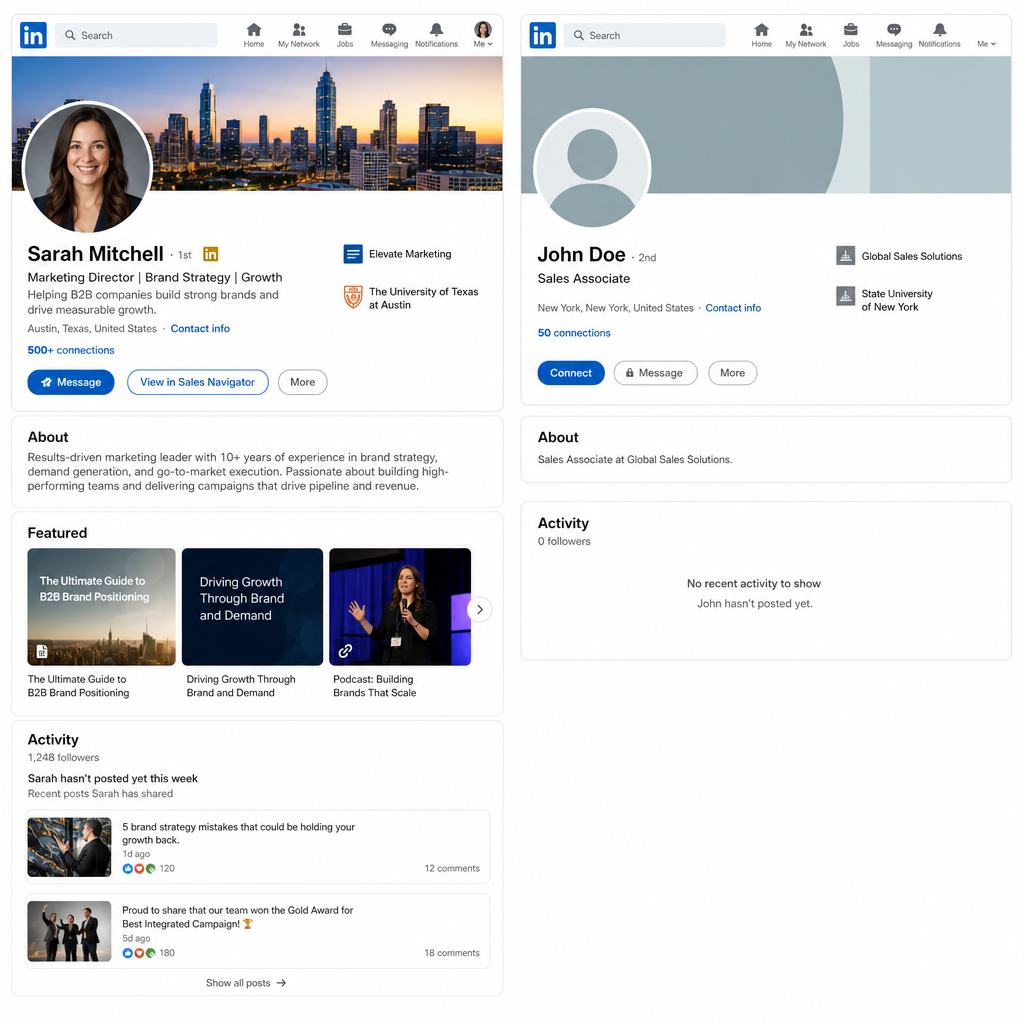
Your own account carries years of trust signals. Purchased accounts get flagged within days of any automation starting.
Purchased or rented LinkedIn accounts have no social graph, no connection history, and no trust score. LinkedIn's system flags them within days.
Your own account has:
- Years of connection and engagement history
- Profile views, endorsements, and mutual connections
- A natural activity baseline that a tool can extend, not fabricate
If you're running outreach on behalf of a company, use the real LinkedIn profiles of actual team members. Rotating three real accounts at conservative limits outperforms one high-volume burner account every time.
Reach 500+ Connections Before Running Any Campaign
Accounts below 500 connections sit in a lower trust tier inside LinkedIn's algorithm. The "500+" badge tells LinkedIn this is an established professional network, not an account created to send spam.
If you're below 500, build first:
- Connect with colleagues, past clients, and industry contacts manually
- Stay at 10 to 20 new connections per day during the build phase
- Comment and engage with content to generate visible activity signals
The Account Needs Recent Activity
An account dormant for six months that suddenly sends 40 connection requests per day is a red flag. LinkedIn's behavior engine measures your new activity against your historical baseline.
Before running any campaign:
- Log in daily for at least two to three weeks
- Like and comment on posts in your feed
- Update your profile: photo, headline, and about section
- Clear out any backlog of pending invites manually
Premium or Previously Used Sales Navigator? You're Already Ahead
A Premium or Sales Navigator history gives your account a higher trust score inside LinkedIn's system. That baseline helps when you start automating.
If your account is Premium or has a Sales Navigator history, you're starting from a better position. LinkedIn's algorithm treats these accounts with a higher trust score, which means more room to operate before any flag gets triggered.
Why it helps as a starting point:
- Higher baseline trust score in LinkedIn's system
- Profile view notifications that warm up prospects before you reach out
- A signal to recipients that you're a credible professional, not a spammer
That said, you don't need Sales Navigator to run effective outreach. Tools like Sendio replace the manual prospecting workflow entirely: signals tell you who to reach, when to reach them, and what to say. No filters to run, no lists to build by hand.
If you already have it, use the account health advantage. If you don't, it's not a blocker.
10 Rules for LinkedIn Outreach That Actually Scales
Rule 1: Set Conservative Daily Limits Before Your First Campaign
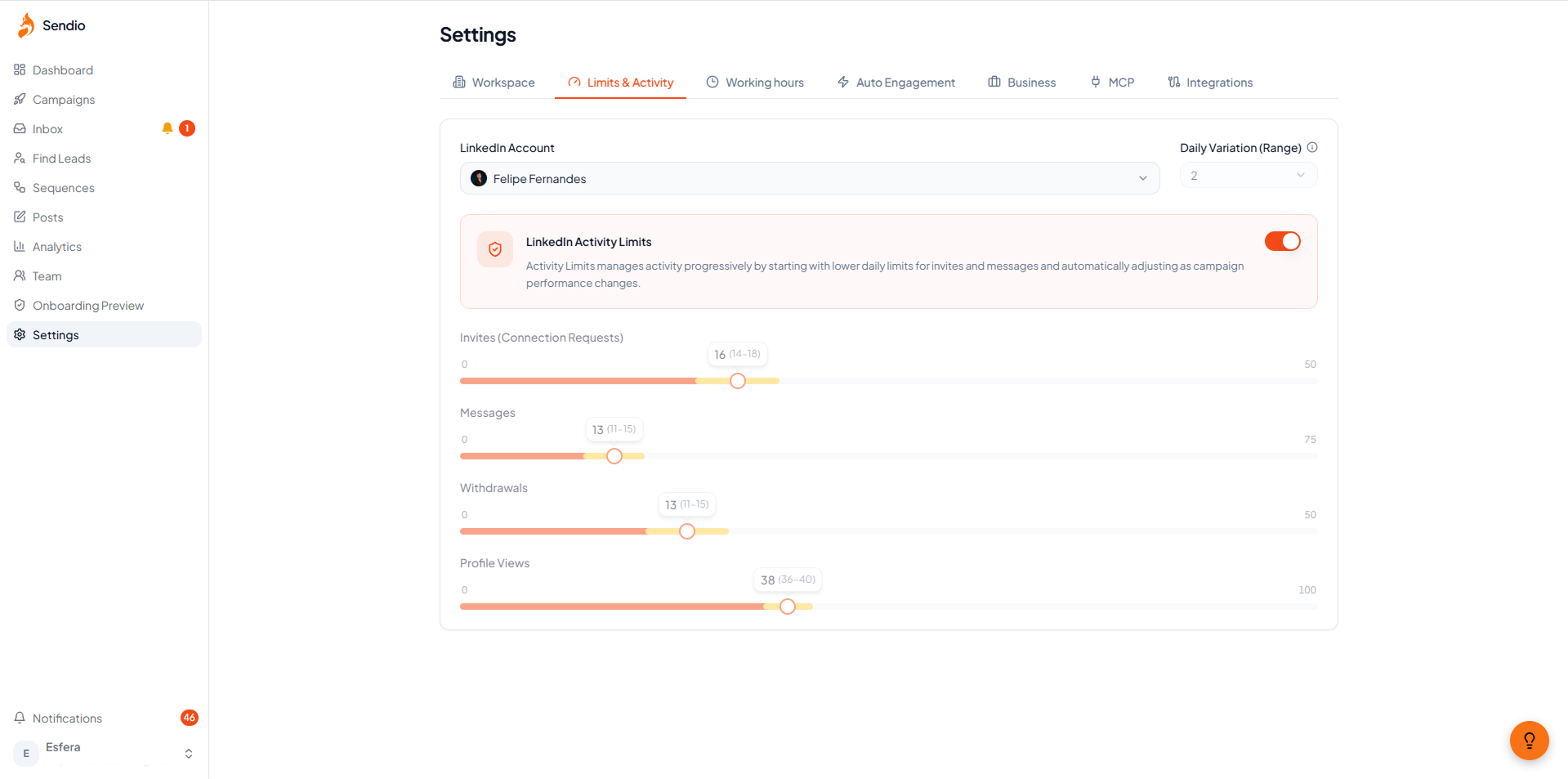
Start at the low end of each range. Scale up only after three to four weeks with clean metrics.
Doing too much too fast is the most common cause of account restrictions. Even if your tool technically allows higher volume, LinkedIn's algorithm is watching for behavioral spikes.
Safe starting limits for established accounts:
| Action | Recommended Starting Point |
|---|---|
| Connection requests | 20 to 30 per day |
| Messages to connections | 50 to 70 per day |
| InMails | 10 to 15 per day |
| Profile views | 80 to 100 per day |
Start at the lower end. Scale only after three to four weeks with no warnings, acceptance rates above 25%, and stable reply rates.
Rule 2: Keep Your Own Real Account as the Sender
Every campaign should run from a real LinkedIn profile belonging to a real person at your company. Not a shared account. Not a purchased one.
If you have multiple team members, distribute volume across their accounts at conservative limits each. Three real accounts at 25 requests per day is safer and reaches more people than one account at 75.
Rule 3: Don't Automate on an Account Below 500 Connections
Already covered in the baseline section, but worth repeating: if the account hasn't crossed 500 connections yet, build first. Automating on a thin account multiplies every risk.
Rule 4: Keep Your Pending Invite Backlog Under Control
LinkedIn penalizes accounts with large volumes of unanswered connection requests. More than 300 to 400 pending invites sitting untouched is a risk signal.
To stay clean:
- Withdraw connection requests older than three to four weeks
- Check pending count weekly
- A 30%+ acceptance rate tells LinkedIn your outreach is relevant. A low acceptance rate plus a growing pending backlog reads as spam.
With Sendio, pending invites are handled automatically. If a connection request goes unanswered, it is automatically withdrawn after 14 days, helping keep your pending invite count under control without any manual work.
Rule 5: Segment Tightly Before You Launch Anything
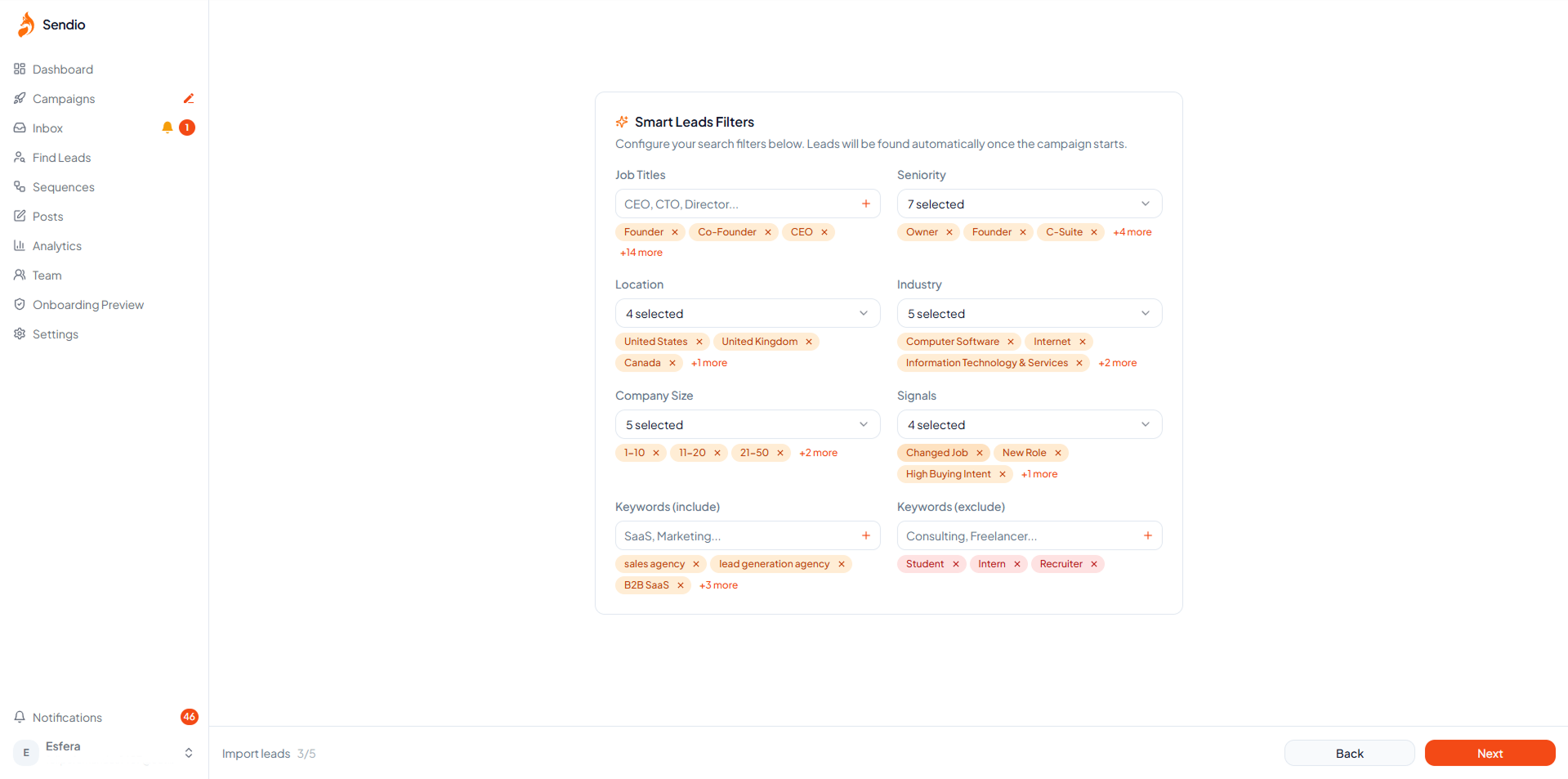
Tight audience segments improve acceptance rates and protect account health at the same time.
Blasting a raw export of 2,000 contacts is how accounts get flagged. The right move is tight segments with validated criteria.
Before any campaign launches:
- Define your ICP clearly: job title, seniority, company size, industry, geography
- Remove anyone who doesn't fit the segment tightly
- Build separate campaigns for different personas: CTOs and SDRs don't get the same message
- Keep segment size between 150 and 400 contacts, not 2,000
Tighter targeting means a higher acceptance rate, which means a safer account and better results.
Rule 6: Every Message Gets Real Personalization
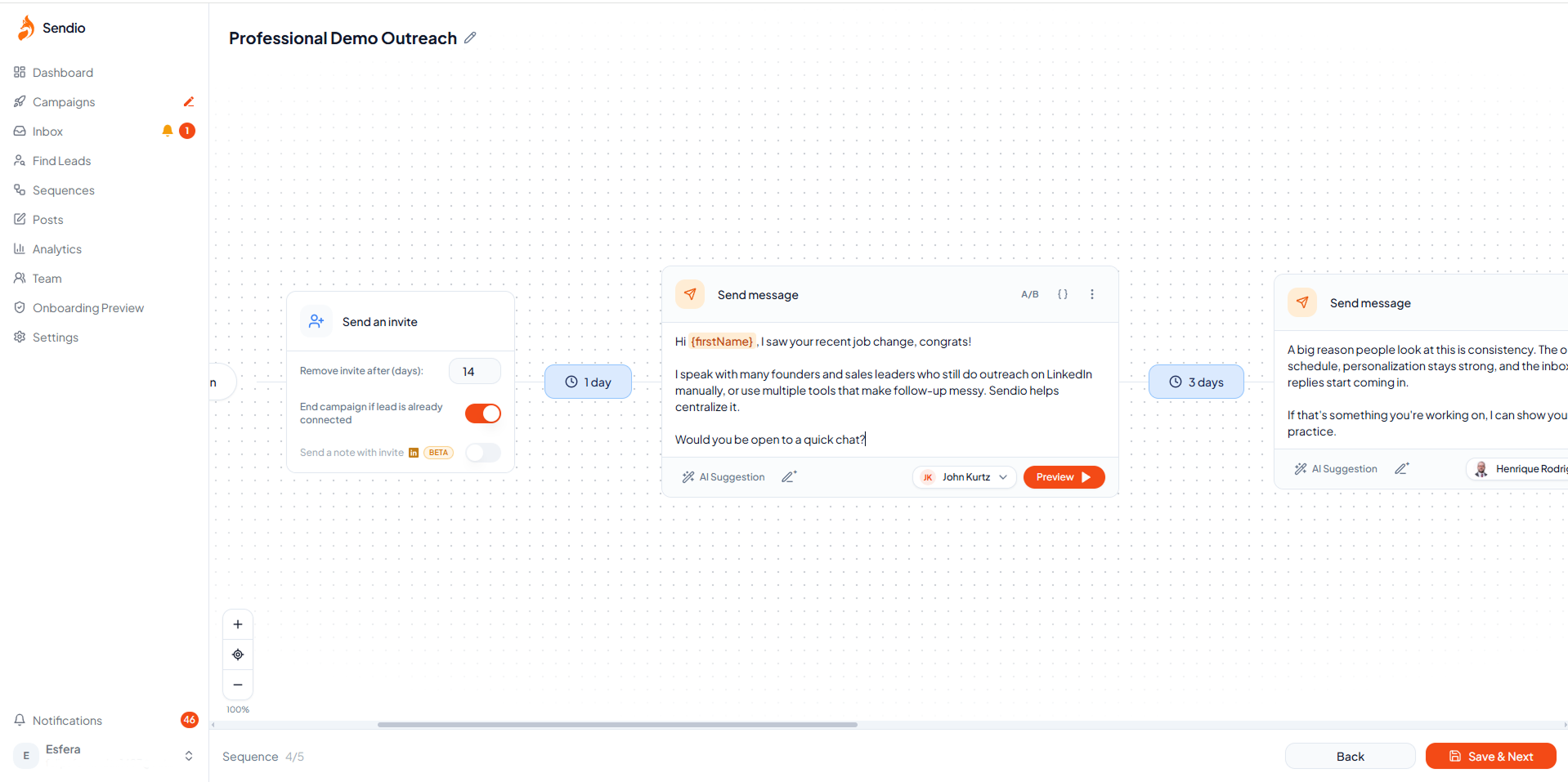
Personalization built from the buying signal that triggered the outreach, not just a first name placeholder.
Generic messages kill reply rates and accelerate spam flags. LinkedIn uses message reply rate and engagement as quality signals on your account.
What performs:
- Referencing a specific trigger: "Saw you just joined [Company] as VP of Sales, congrats"
- Mentioning something they recently posted
- Keeping the first message short: under 80 words, no pitch in the opener
What kills campaigns:
- "Hi FirstName, I wanted to reach out about..."
- A pitch in the first message
- Any message that reads identically across 500 contacts
Rule 7: Reach Out When a Buying Signal Fires, Not Before
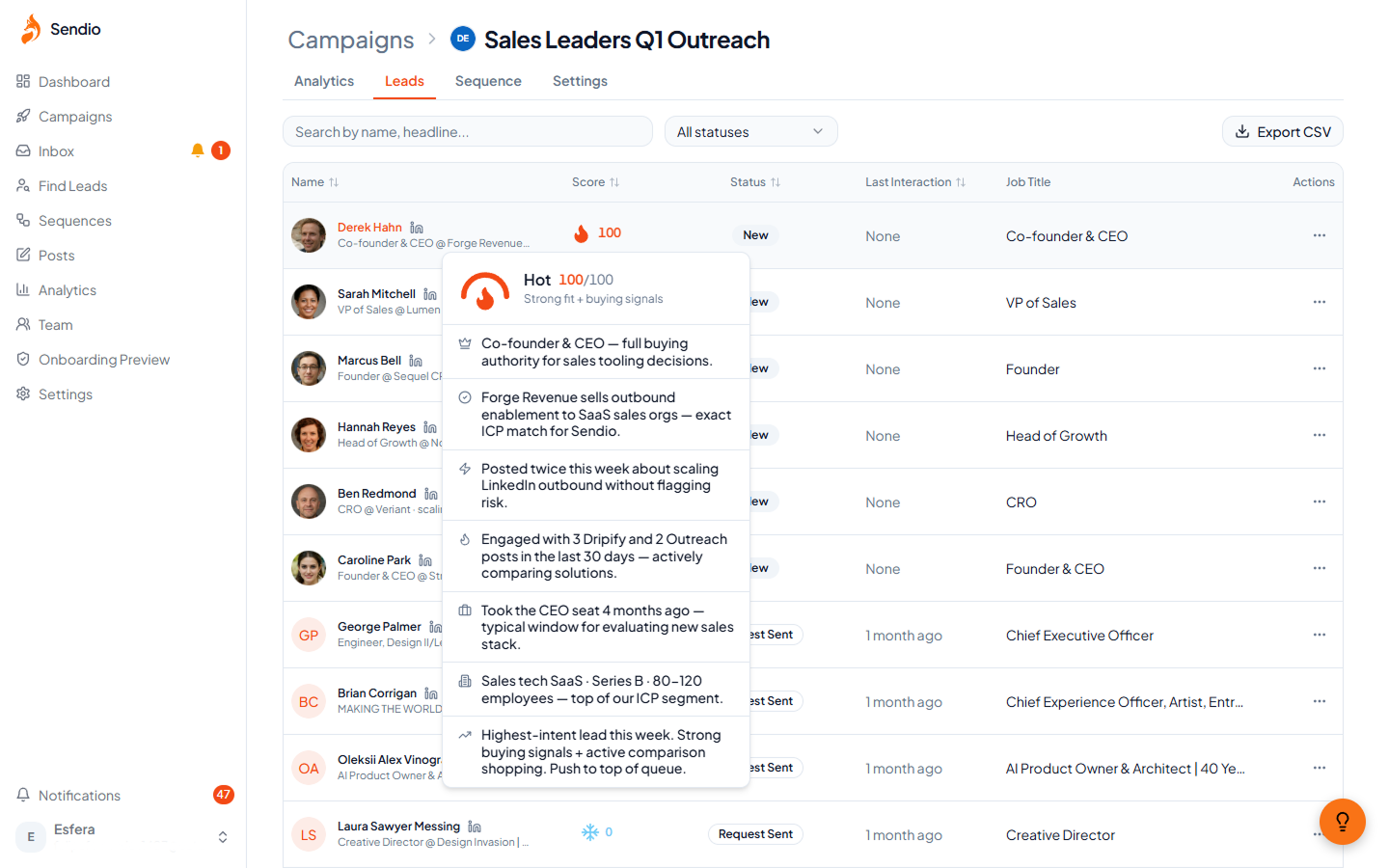
Sendio monitors 30+ buying signals in real time. Each signal triggers a personalized outreach at the exact moment the prospect is most likely to respond.
This is what separates outreach that books meetings from outreach that gets ignored.
A buying signal is a real-world event that puts a prospect in an active evaluation window:
- Job change: a new VP of Sales just joined a company, evaluating tools for their team
- Funding round: the company raised capital, expanding headcount and buying software
- New hire in a target role: they just hired three SDRs, which means they need outreach infrastructure
- Tech stack change: they dropped a competing tool, meaning they are actively shopping
- Engagement with competitor content: they commented on a rival's post, a clear in-market signal
Reaching out right after a signal fires means you are not cold anymore. You are relevant. The prospect is already thinking about the problem you solve.
Tools like Sendio monitor 30+ of these signals in real time and trigger personalized outreach automatically when a prospect enters a buying window.
Rule 8: Watch Your Account Health Every Day
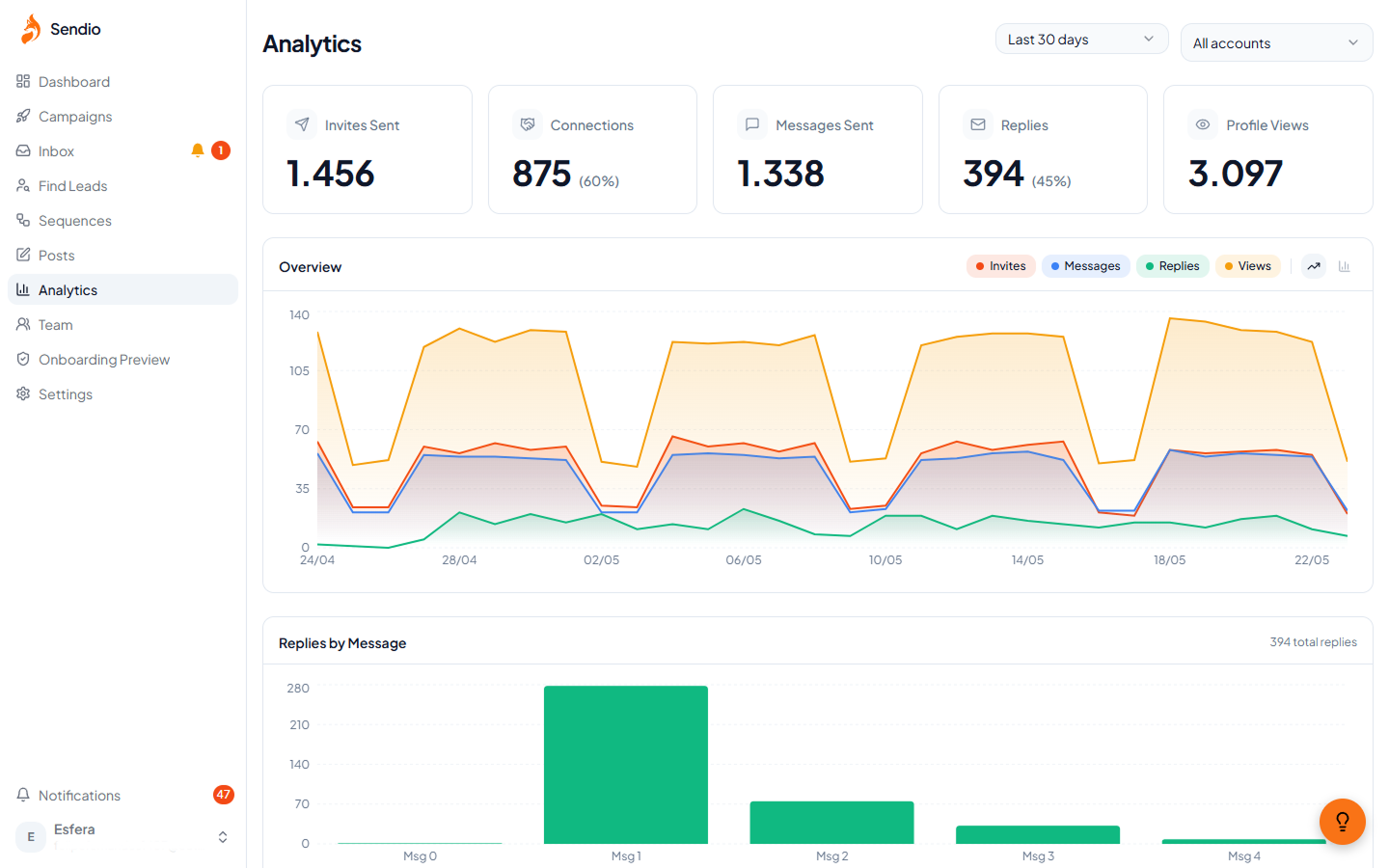
Acceptance rate, reply rate, pending invites, and safety alerts in one view. Know before LinkedIn tells you.
You need ongoing visibility into your account's health, not just whether campaigns are running.
Key metrics and their healthy ranges:
| Metric | Healthy Range | Action if It Drops |
|---|---|---|
| Acceptance rate | 25 to 35%+ | Rework targeting or opening message |
| Reply rate | 8 to 15%+ | Rework message sequence |
| Pending invites | Under 300 | Withdraw the oldest batch |
| LinkedIn warnings | Zero | Cut volume by 50%, pause if two warnings appear |
Any warning from LinkedIn means reduce volume immediately. Do not wait to see if it self-corrects.
Rule 9: Use a Cloud-Based Tool, Not a Chrome Extension
Browser extensions inject behavior directly into LinkedIn's interface. LinkedIn detects this through browser fingerprinting and behavioral analysis.
Extension-based tools:
- Require your browser to be open and running the whole time
- Use your browser fingerprint, which LinkedIn actively monitors
- Sit directly in LinkedIn's detection layer
- Put your primary account at direct risk with every session
Cloud-based tools run independently of your browser. This architecture is significantly harder to detect and is one of the main reasons tools like Sendio are built without a Chrome extension. It is a safety decision, not a convenience trade-off.
Rule 10: Test Before You Scale
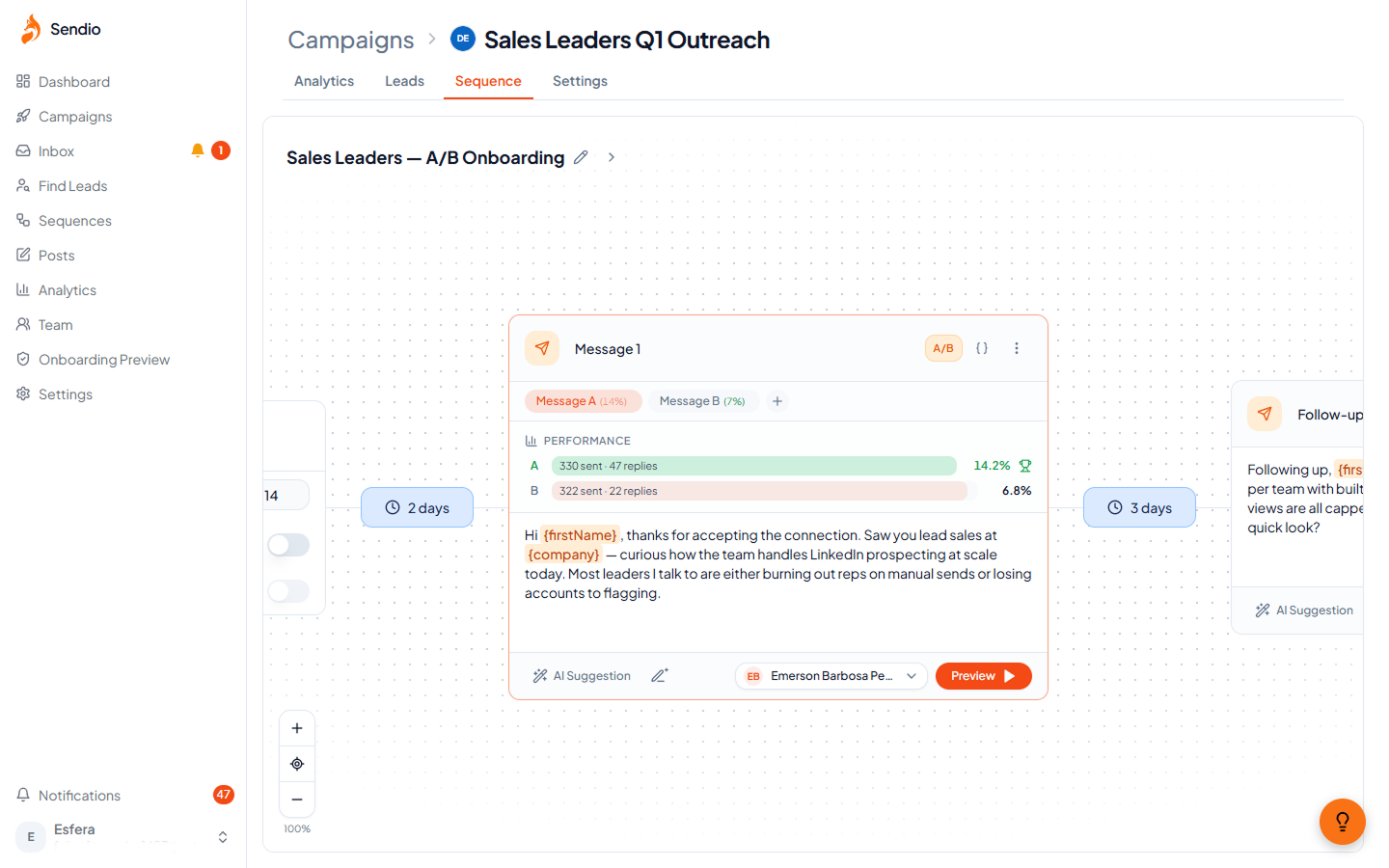
Run tests on openers, timing, and message length. Scale only what the data confirms is working.
Do not scale a campaign before validating the message. Most campaigns need two to three iterations to hit peak performance.
What to test before scaling:
- Connection request with note vs. without note
- First message opener: question, insight, or data point
- Message length: 60 words vs. 120 words
- Send timing: morning vs. afternoon
- Follow-up gap: three days vs. five days
The accounts with 15%+ reply rates did not start there. They got there by testing first.
Pre-Launch Checklist
Run through this before every campaign:
- Account has 500+ connections
- Account has been active within the last 30 days
- Pending invites are under 300
- Daily limits set to conservative starting values
- Messages include real signal-based personalization, not just a name variable
- Audience segment is validated and tightly defined
- Account health monitoring is active
- No Chrome extension-based tool is running on this account
- LinkedIn profile is complete: photo, headline, about section, featured section
- A/B test is configured before the campaign goes live
What Is Actually Getting Accounts Restricted in 2026
Volume spikes on accounts with no warm-up history
Going from zero to 40 requests per day on day one is a red flag regardless of the absolute number. LinkedIn flags the spike pattern, not just the volume.
Purchased or rented accounts
No social graph, no connection history, no trust score. Flagged fast.
Identical messages across hundreds of contacts
LinkedIn detects copy-paste patterns at volume. Signal-based personalization is the only durable solution.
Letting pending invites pile up
A backlog of hundreds of unanswered requests signals unsolicited outreach. Clean it up weekly.
Automating replies inside live conversations
The moment someone responds, the conversation is live. Sending automated replies into an active exchange destroys trust and reads exactly like a bot.
Running extension-based tools on a primary account
One detection event can result in a permanent restriction. The risk is not worth it when cloud-based alternatives are available.
What to Look for in a LinkedIn Automation Tool
Skip tools that:
- Require a Chrome extension to operate
- Have no built-in account safety monitoring or rate limiting
- Rely entirely on static CSV lists with no signal layer
- Require a shared login or API key outside your control
Prioritize tools that:
- Run in the cloud without needing your browser open
- Include account health monitoring and daily limit controls
- Support signal-based targeting, not just list imports
- Have native A/B testing with performance analytics built in
Sendio is built around safe, signal-based LinkedIn outreach. No Chrome extension. Built-in account health monitoring. 30+ buying signals tracked in real time. Every message personalized by AI based on the signal that triggered it, not a generic template.
Start your 14-day free trial, no credit card required
FAQ
Can my LinkedIn account get restricted even if I use a paid tool?
Yes. The tool doesn't protect you if the setup is wrong: too much volume too fast, generic messages, or ignoring account health signals. The practices in this playbook significantly reduce that risk.
What daily connection request volume is safe in 2026?
For accounts with 500+ connections and recent activity: 20 to 30 per day to start. Scale up only after four or more weeks of clean metrics.
What acceptance rate should I be targeting?
25 to 35%+ is healthy for cold outreach. Below 20% is a signal to stop the campaign and rework the audience targeting or the opening message before continuing.
Should I automate follow-up messages?
Yes. Follow-ups generate most of the replies. But the moment a prospect responds, take the conversation manual. Never send automated messages into a live exchange.
Do I need Sales Navigator to automate safely?
Not required, but it significantly helps. Better targeting filters, InMail access, and a higher trust score inside LinkedIn's system.
Is signal-based outreach really different from a standard campaign?
The reply rate difference is substantial. A standard cold campaign hits people who may or may not be in a buying window. A signal-triggered message reaches someone who just had a trigger event, making your outreach contextually relevant at the exact moment they are most receptive.
Conclusion: The Problem Is Not Automation
The accounts getting restricted are running cold lists through Chrome extensions, sending identical messages to thousands of contacts, with no safety monitoring and a growing pile of unanswered invites.
The accounts booking meetings consistently are running tight, signal-triggered campaigns on healthy profiles at human-level pacing.
Same category of tool. Completely different results.
Start with your own account. Get to 500+ connections. Warm it up. Keep limits conservative. Personalize around real signals. Watch your metrics daily. Test before you scale.
That is how you run LinkedIn outreach without worrying about your account every morning.
Ready to run outreach that actually converts?
Sendio monitors 30+ buying signals in real time and triggers personalized LinkedIn outreach automatically when a prospect enters a buying window.